
Table of Contents
ToggleWhen the brush roll on a Shark vacuum stops spinning, the whole cleaning experience falls apart. Instead of pulling up dirt and pet hair, the vacuum just pushes debris around. It’s frustrating, especially when the suction still works fine but the brushes won’t turn. The good news? Most causes are simple mechanical issues that homeowners can fix in under 30 minutes with basic tools. This guide walks through seven proven fixes for a Shark vacuum brush not spinning, from clearing wrapped hair to testing motors. Most of these repairs cost little or nothing and don’t require calling a technician.
Key Takeaways
- Hair and debris wrapped around the brush roll is the number-one cause of a Shark vacuum brush not spinning, and clearing it takes less than 30 minutes with basic tools.
- A slipped, stretched, or broken belt is the second most common issue—inspect for cracks or glazing, and replace belts every 6-12 months depending on use.
- Clogged filters force the motor to overheat and shut down the brush roll; clean or replace filters every month to prevent thermal cutoff and maintain airflow.
- If the brush roll is clean, the belt is intact, and filters are clear, test the motor for continuity using a multimeter or check the brush roll ON/OFF switch for a failed connection.
- Compare repair costs against replacement—single component fixes (belt, brush, filter) are worth repairing, but multiple failures on older vacuums may justify buying new.
Why Your Shark Vacuum Brush Stopped Spinning
Understanding what makes the brush roll turn helps narrow down the problem fast. Shark vacuums use a belt-driven system where a motor turns a belt, which rotates the brush roll. If any part of that chain breaks down, belt snaps, motor fails, or the brush gets jammed, the whole thing stops.
The most common culprits are hair and fiber buildup around the brush roll bearings, a worn or slipped belt, or a motor that’s overheated and shut down due to clogged filters. Less often, it’s a failed brush motor or a broken ON/OFF switch for the brushes.
Shark models vary slightly, but the core mechanics are consistent across the Navigator, Rotator, and Apex lines. Whether dealing with a Shark vacuum beater bar not spinning or a Shark vacuum brush roller not spinning, the troubleshooting steps are nearly identical. Most issues show up as either complete stoppage or intermittent spinning under load.
Check for Hair and Debris Wrapped Around the Brush Roll
This is the number-one reason for a Shark vacuum roller not working. Hair, string, carpet fibers, and even dental floss wrap tightly around the brush roll and its end caps, creating friction that eventually locks it up.
Tools needed: Scissors or seam ripper, flathead screwdriver (for some models).
Safety first: Unplug the vacuum before working on any moving parts.
Steps:
- Flip the vacuum head upside down and locate the brush roll cover. Most Shark models have release tabs or a couple of screws.
- Remove the cover and lift out the brush roll. On some models, the roll slides out: on others, you’ll need to pop the end caps free.
- Use scissors to carefully cut away hair and fibers. Work from the center outward, and don’t nick the bristles.
- Inspect the bearing areas at both ends where the brush roll sits in the housing. Hair often wraps here and creates resistance.
- Wipe down the brush roll and housing with a damp cloth to remove grit.
- Reinstall the brush roll, making sure it seats fully into both end caps. Spin it by hand, it should rotate freely with minimal drag.
If the brush still won’t spin after cleaning, the problem isn’t debris. Move on to the belt. Regular cleaning of vacuum components every few weeks prevents most jams, especially in homes with pets.
Inspect and Reset the Belt
A slipped, stretched, or broken belt is the second most common reason a Shark vacuum brush roll not spinning issue occurs. Belts wear out over time, especially if the vacuum picks up larger objects or runs while the brush is jammed.
Tools needed: Replacement belt (Shark part number varies by model, check the manual or bottom of the vacuum), flathead screwdriver.
Steps:
- With the brush roll removed (see previous section), locate the belt. It loops around a motor spindle on one side and the brush roll on the other.
- Check for these failure signs: cracks, glazing (shiny, hardened surface), stretching (belt feels loose), or a complete break.
- If the belt is intact but looks loose, it may have slipped off the spindle. Reposition it and test. If it slips off repeatedly, it’s stretched and needs replacement.
- To install a new belt: loop it around the motor spindle first, then stretch it over the brush roll’s belt channel. This takes a bit of force, pull the belt taut while seating the brush roll back into place.
- Spin the brush roll by hand several times. The belt should stay centered and turn smoothly without squeaking.
Shark recommends replacing belts every 6-12 months depending on use. Pet owners or those vacuuming high-pile carpet may need replacements more often. Aftermarket belts are cheaper but can vary in quality: OEM Shark belts fit better and last longer in most cases.
Clean or Replace Clogged Filters
This one surprises people, but a Shark vacuum brushroll not working can stem from airflow problems, not just mechanical ones. When filters clog, the motor overheats and the thermal cutoff shuts down power to the brush roll to prevent damage.
Shark vacuums typically have two filters: a foam and felt pre-motor filter (usually under a top cover near the dust cup) and a HEPA exhaust filter (on the back or side). Both need regular maintenance.
Steps:
- Remove both filters according to the owner’s manual. Locations vary by model.
- Tap foam and felt filters over a trash can to knock out loose dust.
- Rinse filters under lukewarm water (no soap) until the water runs clear. Gently squeeze, don’t wring or twist.
- Air-dry completely for at least 24 hours. Installing damp filters can damage the motor. Set them near a fan or in sunlight, not in a dryer.
- Inspect HEPA filters for tears or permanent discoloration. HEPA filters should be replaced every 6-12 months: they’re not designed for long-term washing.
- Reinstall dry filters and test the vacuum.
A thermal cutoff reset happens automatically after the motor cools for 30-45 minutes. If filters were clogged and the brush stopped mid-use, cleaning the filters and waiting often solves the problem. Many home maintenance guides emphasize filter care as one of the most overlooked vacuum upkeep tasks.
Test the Brush Roll Motor and Electrical Connections
If the brush roll is clean, the belt is good, and filters are clear, but the Shark professional vacuum brush not spinning persists, the issue is likely electrical. The brush motor itself may have failed, or there’s a loose connection.
Tools needed: Multimeter (optional, for testing continuity), screwdriver set.
Safety: Unplug the vacuum and let it sit for 10 minutes to discharge any residual power.
Steps:
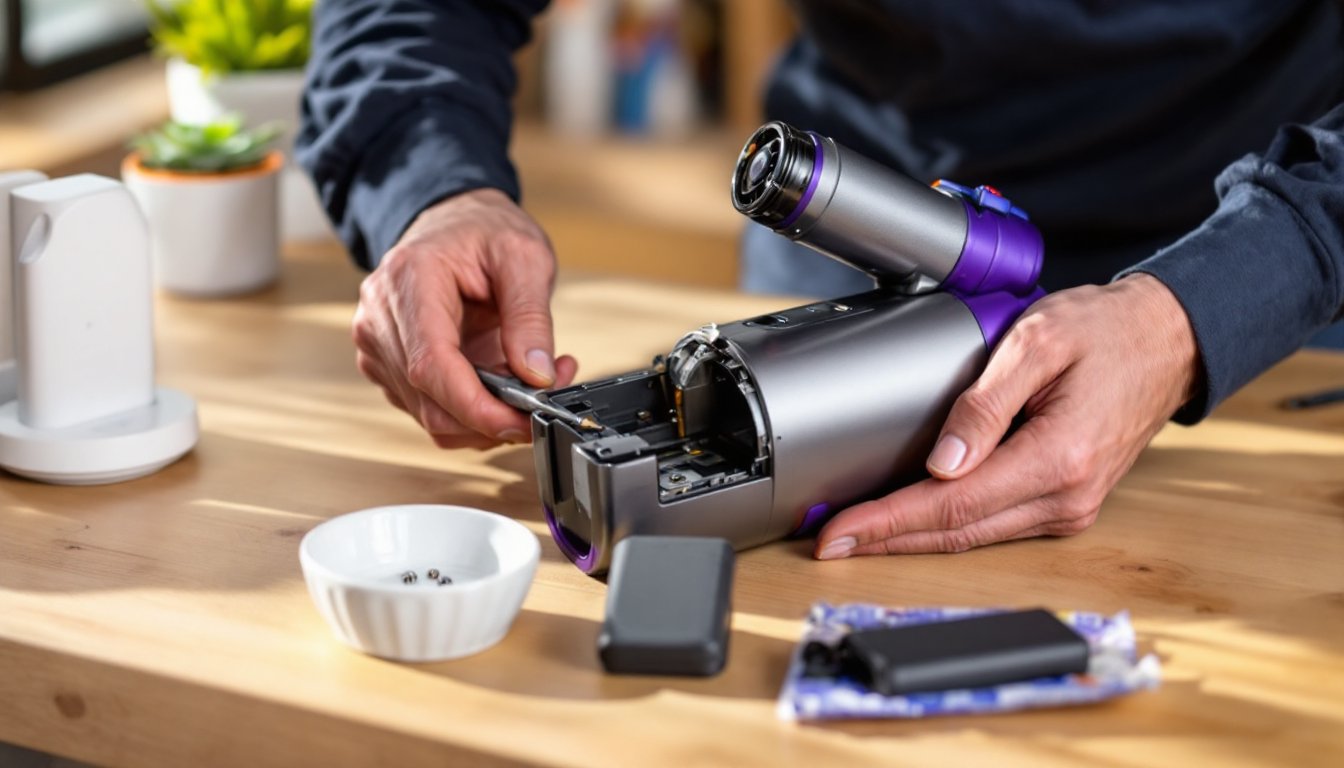
- Remove the brush roll and belt to access the motor housing. On most Shark models, the motor is visible once the floor nozzle is disassembled.
- Inspect wire connections leading to the motor. Look for loose plugs, frayed wires, or burn marks. Reconnect any loose terminals.
- If comfortable using a multimeter, test the motor for continuity. Set the meter to ohms (Ω) and touch probes to the motor terminals. A reading of 3-10 ohms suggests the motor is functional: infinite resistance means it’s failed.
- Check the brush roll ON/OFF switch (if the model has one). Toggle it several times and listen for clicks. A dead switch won’t send power to the motor even if everything else works.
- Some models have a small reset button near the motor or on the nozzle. Press it firmly and hold for 5 seconds.
If the motor tests bad or wiring is damaged beyond a simple reconnect, replacement is needed. Shark sells motor assemblies, but labor to swap them can be tricky, it involves partial disassembly of the vacuum head. Several DIY repair tutorials cover motor swaps for confident home mechanics, but this is where many people decide whether to repair or replace.
When to Replace Parts vs. Buy a New Vacuum
Cost and age are the deciding factors. A brush roll costs $15-$25, a belt is $5-$10, and filters run $10-$20. Those are no-brainer fixes. A motor assembly, but, ranges from $40-$80, and if a model is over five years old or out of warranty, that cost approaches half the price of a new mid-range Shark.
Consider replacement if:
- Multiple components are failing (motor, switches, and hose cracks all at once).
- The vacuum is over 7 years old. Motors and plastic housings degrade.
- Repair parts for the specific model are discontinued or hard to source.
- The vacuum has been through heavy daily use in a large home or commercial setting.
Stick with repairs if:
- The vacuum is under three years old and otherwise runs well.
- Only one component (belt, brush, filter) is the issue.
- Replacement parts are readily available and affordable.
- The model has features (HEPA filtration, lift-away design, LED lights) that newer budget models lack.
Shark’s customer service sometimes offers discounted replacement units if a model is under warranty or just past it, worth a call before buying parts. Extended warranties through retailers occasionally cover motor failures, though belts and filters are considered consumables and typically aren’t included.
Conclusion
A Shark vacuum brush not spinning usually comes down to wrapped hair, a bad belt, or clogged filters, all fixable in less than an hour. Tackling these repairs in order of likelihood saves time and avoids buying parts that aren’t needed. Keep a spare belt and clean filters every month to head off most problems before they start. If electrical components fail and the vacuum is older, weigh repair costs against replacement. Most homeowners find that routine maintenance keeps a Shark running strong for years.