Table of Contents
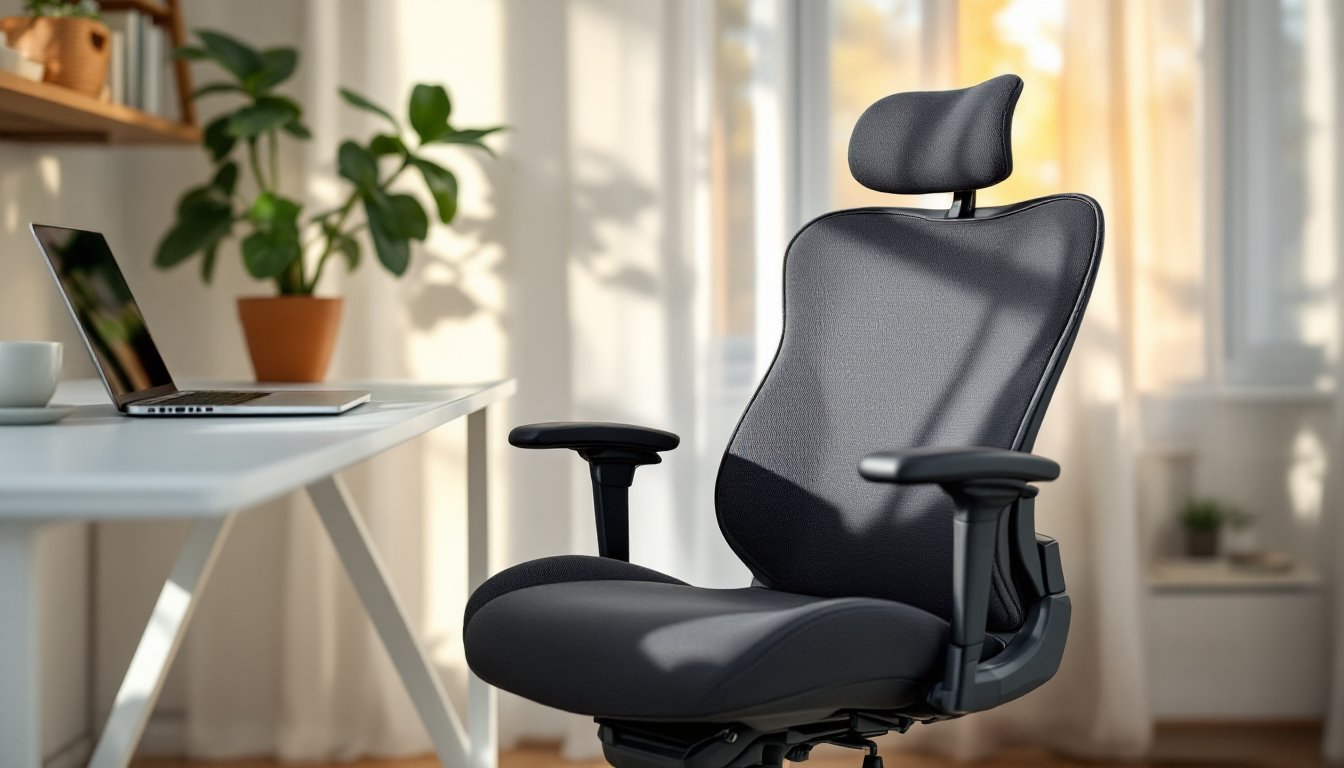
ToggleIf you’ve spent hours in a creaky, wobbly chair that leaves your lower back aching and your focus shot, you already know the value of a proper seat. A quality office chair isn’t a luxury, it’s the foundation of a functional workspace. Serta, a name synonymous with mattress comfort for over 90 years, has been building that same ergonomic expertise into their office seating since the early 2000s. Whether you’re outfitting a dedicated home office or upgrading a corner desk setup, Serta office chairs deliver reliable support without the inflated price tags of boutique “gaming” or designer models. This guide walks you through what makes these chairs worth considering, what features actually matter, and how to pick and maintain one that’ll hold up through years of Zoom calls and spreadsheet marathons.
Key Takeaways
- Serta office chairs combine ergonomic expertise and durable construction at mid-range prices ($150–$400), making them a practical alternative to boutique gaming or designer chairs without the markup.
- Adjustable lumbar support, synchro-tilt mechanisms, and quality upholstery materials (reinforced mesh, bonded leather, or durable fabric) are the core features that actually improve comfort and longevity for 8+ hour workdays.
- Proper setup and personalization—matching seat depth and height to your body, adjusting armrests for your shoulders, and setting tilt tension appropriately—are just as critical as the chair itself for eliminating back pain.
- A Serta office chair’s lifespan extends significantly with basic monthly maintenance: tightening bolts, vacuuming mesh, lubricating casters, and inspecting the gas cylinder for leaks.
- Choosing the right Serta model depends on your primary tasks (typing, video calls, mixed work) and body dimensions; the Big & Tall line supports larger frames with reinforced bases and wider seats up to 350–400 pounds.
Why Serta Office Chairs Stand Out for Home Workspaces
Serta didn’t just slap their logo on generic office seating. They brought the same pressure-relief technology from their mattress line, layered cushioning and memory foam cores, to task chairs designed for 8+ hour days. While many budget office chairs use thin foam that bottoms out in six months, Serta models typically feature multi-density padding: firmer foam at the base for structural support, softer memory foam on top for pressure distribution.
Most Serta office chairs fall into the $150–$400 range, positioning them between basic big-box models and high-end ergonomic thrones. You’re paying for durable upholstery (bonded leather, mesh, or fabric blends), reinforced tilt mechanisms, and weight capacities that often hit 250–300 pounds, a practical consideration many lighter-duty chairs skip in the specs.
Another standout: Serta offers several lines tailored to different needs. The Serta Professional Series includes models like the AIR Health & Wellness chair with lumbar support and breathable mesh, while the Big & Tall line accommodates larger frames with wider seats and reinforced bases. If you’re comparing office furniture options, platforms like Houzz often feature real user reviews that highlight long-term durability, useful when you’re weighing warranties and material quality.
Key Features to Look for in a Serta Office Chair
Not all Serta models are created equal. Here’s how to separate marketing fluff from features that actually improve your workday.
Ergonomic Support and Adjustability Options
Lumbar support is non-negotiable if you sit for more than two hours at a stretch. Serta integrates adjustable lumbar zones in most mid-tier and up models, look for chairs that let you move the lumbar pad up/down and in/out to match your spine’s natural curve. Fixed lumbar support is better than nothing, but it won’t fit every body type.
Seat height adjustment should offer at least 4 inches of travel. Standard pneumatic cylinders are rated to Class 3 or Class 4 (the latter supports heavier loads and longer life). Check the listed seat height range against your desk: when seated, your elbows should form a 90-degree angle with your keyboard, and your feet should rest flat on the floor or on a footrest.
Armrest adjustability varies widely. Budget models have fixed-height arms: better Serta chairs offer 3D or 4D arms (height, width, depth, and pivot). If you type for hours, adjustable arms reduce shoulder strain by letting your forearms rest without hunching.
Tilt mechanisms come in three flavors:
- Standard tilt: The whole seat tilts back from a central pivot. Fine for occasional reclining.
- Synchro-tilt: Seat and backrest recline at different angles (typically 2:1 ratio). Much more comfortable for leaning back during calls.
- Multi-function tilt: Adds seat-angle adjustment and tilt-lock in multiple positions. Found in Serta Professional and executive models.
Most Serta chairs include tilt tension adjustment, a knob under the seat that controls how much force it takes to recline. Heavier users need firmer tension: lighter users need it looser. Test this before you commit if buying in-store.
Materials, Durability, and Build Quality
Upholstery choices affect both comfort and longevity:
- Bonded leather: Affordable, easy to wipe clean, but prone to peeling after 2–3 years, especially in dry climates. Serta uses bonded leather on many mid-range models.
- Mesh: Breathable, doesn’t trap heat, and holds up well if the weave is tight. Cheaper mesh sags: Serta’s AIR series uses reinforced mesh that bounces back.
- Fabric: Durable and comfortable but harder to clean. Look for spill-resistant treatments if you’re a coffee-at-desk type.
Frame and base construction: Serta chairs typically use nylon or reinforced resin bases rated for commercial use. Metal frames inside the backrest and seat pan add rigidity. Avoid chairs with thin plastic shells, they flex and crack under load.
Casters should match your floor type. Hard casters (often clear or gray plastic) work on carpet: soft casters (rubberized or polyurethane) protect hardwood and tile. Most Serta chairs ship with hard casters, so budget $15–$25 for replacements if you’re on hard flooring.
Weight capacity is listed in the specs but rarely advertised prominently. Serta Big & Tall models support up to 350–400 pounds: standard models range 200–300 pounds. Exceeding the rated capacity voids warranties and shortens the life of the gas cylinder and tilt mechanism.
For design-focused setups, contemporary furniture guides often cover how office chair aesthetics integrate with minimalist or industrial home office styles, helpful if you want function and form.
How to Choose the Right Serta Office Chair for Your Needs
Start by measuring your workspace. You need at least 24 inches of clearance behind the chair for full recline, and the seat width should leave a couple inches of space on each side when you’re seated, cramped chairs cause you to sit off-center, throwing off your posture.
Match the chair to your primary tasks:
- Typing-heavy work (writing, coding, data entry): Prioritize adjustable armrests, good lumbar support, and a seat depth that doesn’t cut into the back of your knees. Serta’s AIR Health & Wellness or Professional Series fits here.
- Video calls and meetings: Look for a higher backrest (executive-style) and a model that looks polished on camera. Bonded leather or fabric finishes read better than mesh.
- Mixed tasks (some computer work, some reading, some on the phone): A synchro-tilt mechanism and mid-back design offer flexibility without overkill.
Consider your body dimensions:
- Under 5’6″: Look for chairs with shorter seat depths (16–17 inches) and lower minimum seat heights (16–17 inches off the floor). Many standard Serta models have 18+ inch seat depths, which can leave shorter users perched on the edge.
- 5’6″ to 6’0″: Most Serta mid-range chairs fit this range comfortably.
- Over 6’0″ or 250+ pounds: Go straight to the Big & Tall line. Wider seats (20–22 inches), reinforced frames, and taller backrests make a huge difference.
Check the warranty. Serta typically offers 5–10 year limited warranties on structural components (frame, base, cylinder) and 1–3 years on upholstery and foam. Keep your receipt and register the chair if the manufacturer requires it, unregistered warranties are harder to claim.
If you’re also shopping for professional-grade seating that balances home and office aesthetics, the Serta professional office chair models often include upgraded tilt controls and higher weight ratings, making them a smart pick for dedicated workspaces.
Budget considerations: Prices fluctuate, but as of 2026, expect:
- $150–$250: Entry-level Serta task chairs with basic tilt, fixed arms, bonded leather or fabric.
- $250–$350: Mid-tier models with lumbar adjustment, synchro-tilt, 3D arms, mesh or premium fabric.
- $350–$500: Big & Tall, executive, or fully loaded Professional Series with multi-function tilt and extended warranties.
Watch for sales around back-to-school (late July–August) and Black Friday. Retailers often bundle free shipping or throw in extended warranties.
Setting Up and Maintaining Your Serta Office Chair
Most Serta chairs ship in 2–4 boxes with minimal assembly required. You’ll need a Phillips-head screwdriver (sometimes included) and about 20–30 minutes. Typical steps:
- Attach the base and casters: Press casters into the base holes until they click. No tools needed, just firm pressure.
- Install the gas cylinder: Drop it into the center hole of the base (no fasteners: it’s a friction fit).
- Attach the seat pan to the control mechanism: Usually 4 bolts, hand-tightened first, then snugged with the screwdriver. Don’t overtighten, you can crack plastic brackets.
- Slide the backrest into the seat bracket: Most Serta chairs use a tab-and-slot system with 2–4 bolts.
- Attach armrests (if separate): Typically 2 bolts per arm.
- Drop the seat assembly onto the gas cylinder: Align the hole in the seat mechanism over the cylinder and press down. It’ll click into place.
Safety note: Wear safety glasses when installing the gas cylinder, cylinder failures are rare but can release debris.
Once assembled, adjust before you sit for a full day:
- Set seat height so your feet are flat and knees at 90 degrees.
- Adjust lumbar support to the small of your back (roughly belt-line height).
- Position armrests so your shoulders are relaxed, not shrugged.
- Set tilt tension so you can recline with light pressure but the chair doesn’t tip you backward.
Maintenance is straightforward:
- Weekly: Wipe down armrests and seat with a damp cloth (use mild soap for fabric, leather cleaner for bonded leather).
- Monthly: Vacuum fabric or mesh to remove dust and debris. Check and tighten bolts, vibration from rolling and reclining can loosen hardware over time.
- Quarterly: Lubricate casters if they squeak or drag (a drop of silicone spray on each axle). Inspect the gas cylinder for leaks (hissing sound or gradual seat drop). If it’s leaking, replacement cylinders cost $20–$40 and swap out in minutes.
- Annually: Flip the chair over and inspect the base for cracks, especially around caster holes. Replace worn casters.
For long-term durability, avoid:
- Sitting on one side of the seat: It compresses foam unevenly.
- Using the chair as a step stool: Even heavy-duty models aren’t rated for standing loads.
- Storing in damp basements or garages: Moisture warps plywood seat pans and rusts metal frames.
If you notice persistent lower-back pain even after adjustments, reassess your desk height and monitor position. No chair compensates for a desk that’s too high or a screen that forces you to crane your neck. Many modern design resources cover holistic workspace ergonomics, including lighting and accessory placement that complements a quality chair.
Most upholstery damage (tears, peeling) happens at high-contact points: armrest tops and seat edges. Armrest covers ($10–$15/pair) and seat cushions extend the life of those zones without replacing the whole chair.
Conclusion
A Serta office chair won’t transform a cluttered corner into a corner office, but it will take the guesswork out of staying comfortable through long workdays. Focus on the features that match your body and your tasks, lumbar support, armrest adjustability, and a solid warranty matter more than leather vs. mesh. Assemble it carefully, adjust it properly, and maintain it like you would any other hardworking tool in your home. Your back will thank you, and your workspace will feel a lot less like a compromise.