Table of Contents
ToggleStanding desks have moved from trendy office perk to essential home workspace gear. If you’re shopping for an adjustable desk that doesn’t fold under daily use, and you’re willing to assemble it yourself, the Jarvis standing desk by Fully deserves a close look. It’s gained a reputation as one of the more robust, customizable options on the market, particularly for folks who want control over every detail, from desktop material to frame color. This jarvis standing desk review walks through what makes it tick, how it performs in real-world use, and whether it’s worth the investment for a home office that pulls double duty as a workshop, hobby station, or command center.
Key Takeaways
- The Jarvis standing desk features dual-motor lifting columns rated for 350 pounds with a height range of 24.5″ to 50″, making it suitable for users of various heights and heavy workstation setups including multiple monitors and equipment.
- Deep customization options—from desktop materials (laminate, bamboo, solid wood, reclaimed wood) to frame colors and controllers—allow you to build a desk tailored to your specific workspace needs and aesthetic preferences.
- Assembly takes 45 to 90 minutes with basic hand tools, and clear instructions with video walkthroughs make the Jarvis standing desk accessible for DIY builders; however, plan assembly in your final location due to size constraints.
- Exceptional stability and smooth operation come from dual motors with collision detection and minimal noise (<50 dB), enabling seamless height adjustments during work without desktop wobble or disruption on video calls.
- Pricing starts around $590 for a laminate-top configuration, offering mid-to-upper-tier value with a seven-year mechanical warranty and strong resale potential (50–60% of original price), making it a durable long-term investment for serious desk users.
What Makes the Jarvis Standing Desk Stand Out?
The fully standing desk lineup centers on the Jarvis frame, a dual-motor electric base designed to handle heavy loads and frequent height changes. Unlike budget single-motor desks that grunt and stall under a three-monitor setup, the Jarvis uses two lifting columns rated for up to 350 pounds, enough for most desktop configurations, including a full PC tower, dual arms, and a small workshop vise.
What separates this from big-box options is customization depth. You’re not buying a pre-built unit off a showroom floor. Fully lets you spec the desktop material, size, frame color, programmable controller type, and accessories before the thing ships. That modularity appeals to DIYers who’d rather pick components than settle for someone else’s idea of a universal fit.
The fully jarvis standing desk frame also ships with a seven-year warranty on the mechanics and electronics, a signal that the company expects the motors and gearboxes to outlast the average upgrade cycle. For a home office where you’re sitting (or standing) eight-plus hours a day, that’s a practical consideration, not just marketing fluff.
Key Features and Specifications
Here’s what you get with a standard Jarvis frame and desktop configuration:
- Height range: 24.5″ to 50″ (accommodates users from about 5’0″ to 6’5″ comfortably)
- Width range: Frame extends from 42″ to 84″ to match desktop size
- Lifting capacity: 350 lbs including desktop weight
- Motors: Dual 3-stage lifting columns with collision-detection safety
- Speed: 1.5″ per second travel (fast enough to avoid the awkward mid-adjustment crouch)
- Noise: Rated at <50 dB under load (quieter than a normal conversation)
- Power: Standard 120V AC, no special wiring required
Desktop options include laminate, bamboo, solid wood, and reclaimed wood in sizes ranging from 30″×24″ up to 72″×30″. The jarvis laminate standing desk is the most budget-friendly surface, think commercial-grade particle board with a durable melamine finish. It’s not heirloom furniture, but it handles spills, scratches, and the occasional dropped drill better than raw wood.
The programmable controller lets you save up to four height presets. Hit a button, and the desk moves to your saved standing or sitting position without manual adjustment. It’s a small thing that becomes essential once you’re switching positions three or four times a day.
Cable management includes a wire tray that mounts under the desktop and adhesive clips to route power and data cables. Not glamorous, but it keeps cords off the floor and out of the lifting mechanism.
Assembly and Installation: A DIY-Friendly Setup
Fully ships the jarvis fully standing desk in multiple boxes, frame components in one, desktop in another. Total weight runs about 100 pounds depending on desktop size, so recruit a second pair of hands or a furniture dolly for unboxing.
Tools you’ll need:
- Phillips screwdriver (powered driver speeds things up)
- 5mm Allen wrench (included in the hardware kit)
- Tape measure
- Level (optional but recommended)
Assembly breaks down into four main steps:
-
Attach the feet and crossbars to the lifting columns. The frame uses barrel nuts and machine screws, no wood screws or flimsy cam locks. Snug them down but don’t overtighten: you’ll need to adjust width to match your desktop.
-
Position the frame on the desktop (upside down). Center it front-to-back and side-to-side. Use the tape measure to confirm equal overhang on all edges. The frame includes drilling templates, but double-check before you commit, particle board doesn’t forgive misplaced holes.
-
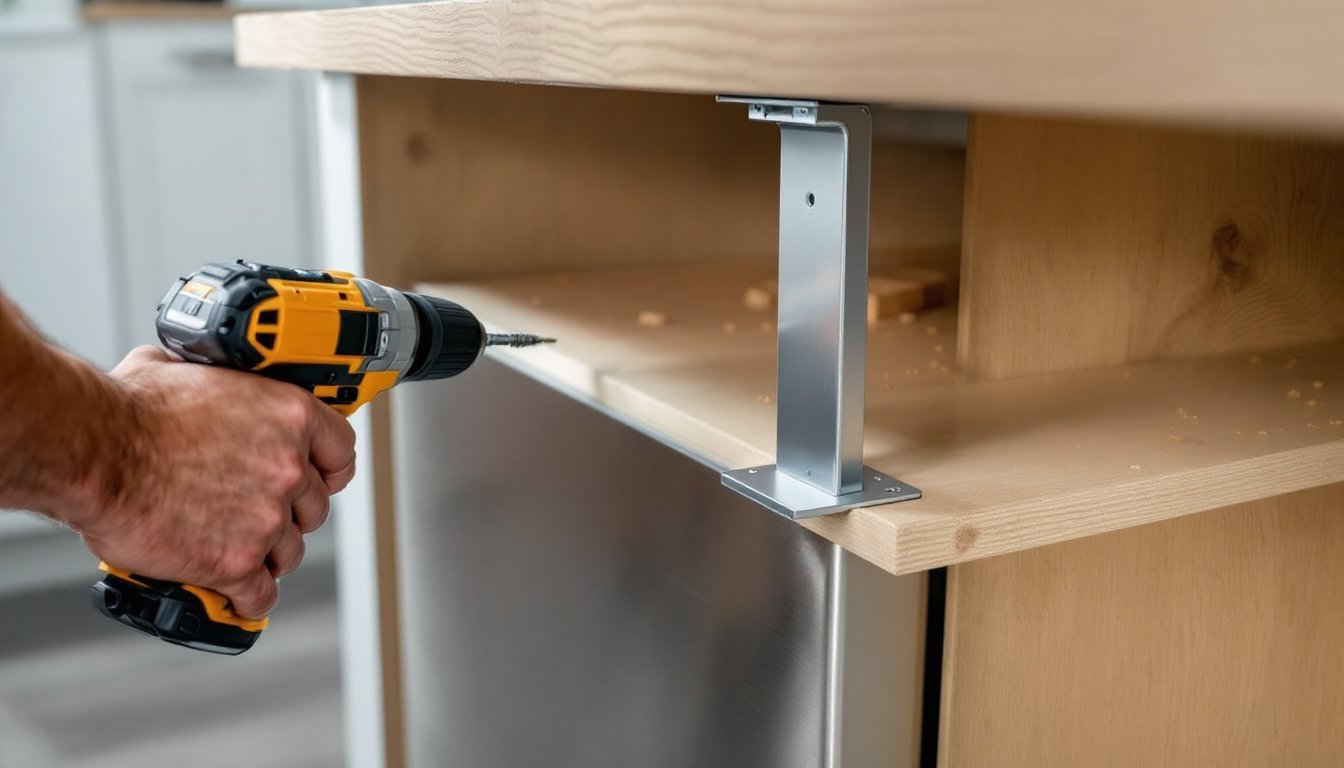
Drill pilot holes and screw the frame to the desktop. Use the included wood screws. If you’re mounting to a solid wood desktop, pre-drill to avoid splits. Laminate tops are more forgiving.
-
Flip the desk upright, plug in the control box, and run the cable tray. The controller snaps into a bracket under the desktop or mounts to the front edge. Route the power cable through the tray and secure with clips.
Total assembly time: 45 to 90 minutes depending on desktop size and your comfort with hand tools. The instructions are clear, and Fully’s support site includes video walkthroughs if you get stuck.
Pro tip: Assemble the desk in the room where it’ll live. A 72″ desktop with frame attached won’t fit through a standard 32″ door without disassembly. Measure your doorways before you build.
If you’re more ambitious and want to pair a custom desktop with the Jarvis frame, Ana White offers free plans for building your own butcher-block or plywood tops. Just confirm the frame’s screw-hole pattern before you start cutting.
Performance and Daily Use
The Jarvis frame moves smoothly and stops precisely at saved heights. No creeping, no motor whine after the fact. The collision-detection feature halts movement if the desktop hits an obstruction, useful if you’ve got overhead shelves or a low-hanging light fixture.
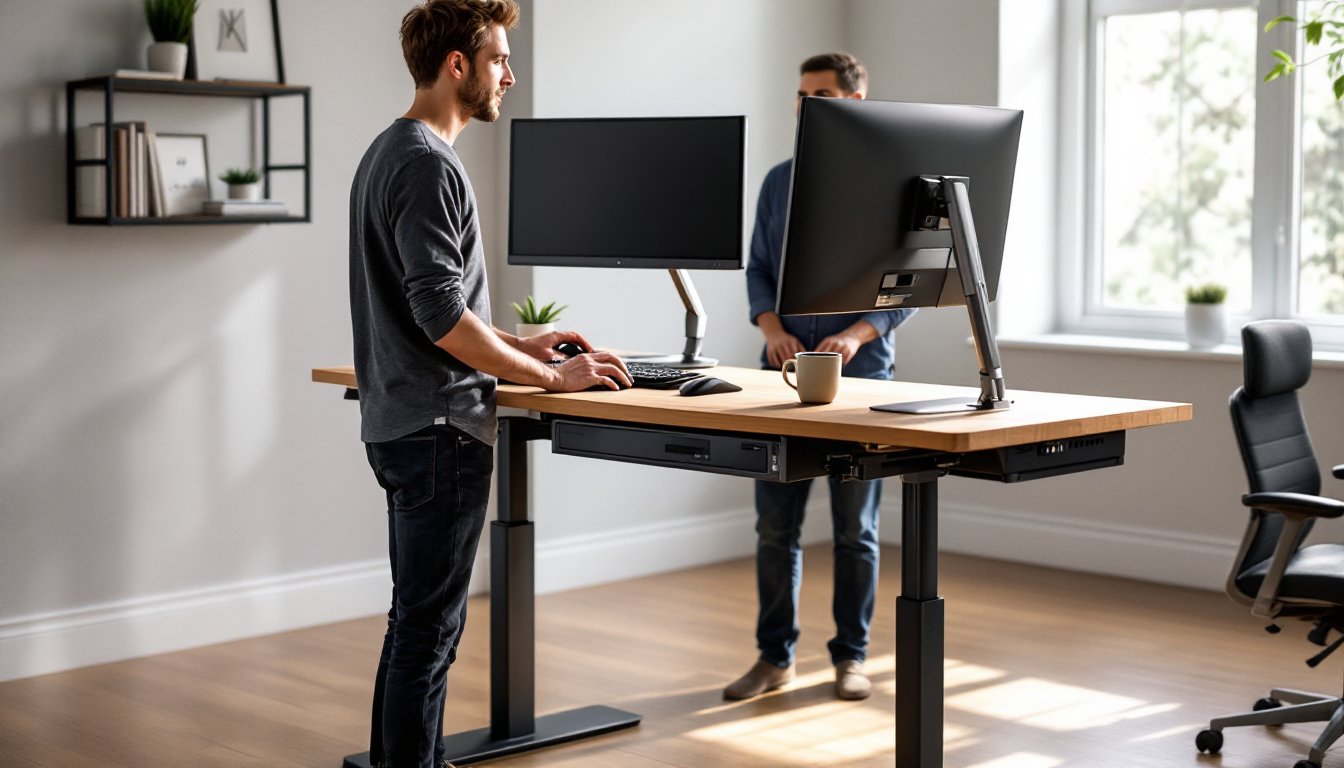
Stability is where dual motors earn their keep. At full standing height (around 48″ for most users), there’s minimal side-to-side wobble. Typing doesn’t turn into a desktop shimmy, and a coffee cup stays put. Compare that to single-motor frames, which can feel springy at the top of their range.
Noise during adjustment is barely noticeable. If you’re on a video call, you can adjust height without muting. The motors hum rather than grind.
The laminate desktop holds up to daily wear, pens, notebooks, the occasional hand tool. It’s not solid wood, but it also doesn’t dent if you set down a C-clamp or a small vise. If you’re using the desk for light assembly work (Arduino projects, model building, small repairs), the surface handles it. For serious woodworking project plans involving routers or heavy clamping, you’ll want a dedicated workbench.
One quirk: The frame’s minimum height is 24.5 inches. If you’re pairing it with a thick desktop (say, a 2″ butcher block), the total surface height starts around 26.5 inches, slightly high for shorter users who prefer a low sitting position. Test your ideal height before committing to a thick desktop.
Weight distribution matters. If you’re mounting a monitor arm to the rear edge and stacking gear on one side, the desk stays level. The frame’s crossbar design prevents tipping, even with an unbalanced load.
Customization Options for Your Home Office
Fully’s configurator lets you build a desk that fits your space and workflow. Here’s where the choices add up:
Desktop materials:
- Laminate: Budget pick, seven color options, easy to clean. Good for general office use.
- Bamboo: Eco-friendly, mid-range price, natural grain. Resists moisture better than particle board.
- Solid wood (maple, walnut, acacia): Premium look, heavier, requires occasional oiling. Best for a dedicated office that doubles as a showpiece.
- Reclaimed wood: Salvaged lumber with character marks. Each top is unique. Highest cost, longest lead time.
Frame colors: Black, white, gray, or alloy (raw metal). Black hides scuffs: white matches modern minimalist setups.
Controller upgrades: Standard has four presets. The extended-range controller adds memory for two users and a USB charging port. Useful if two people share the desk or you’re tired of hunting for phone chargers.
Accessories: Wire tray, CPU holder, monitor arms, desk drawers, and a balance board. The wire tray is essential. The rest depends on your setup. If you’re running a multi-monitor rig, Fully’s monitor arms integrate cleanly, though third-party arms (VESA-compatible) work just as well for less money.
If you’ve got the skills and want to skip the Fully desktop entirely, IKEA components can pair with the Jarvis frame for a fraction of the cost. A Karlby countertop or Gerton tabletop mounts with the same screw pattern. Just pre-drill and finish the edges.
Grommet holes for cable pass-through aren’t pre-cut. If you want one, mark the spot, drill with a 2.5″ or 3″ hole saw, and install a snap-in grommet. Takes five minutes and cleans up cable routing significantly.
Pricing and Value Comparison
As of April 2026, a base jarvis standing desk with a laminate top starts around $590 for a 48″×30″ configuration. Solid wood tops push that to $900–$1,200 depending on size and species. Frame-only pricing runs about $470 if you’re supplying your own desktop.
That’s mid-to-upper tier in the standing desk market. Budget models from big-box retailers start at $250–$350, but they typically max out at 200-pound capacity, use single motors, and come with shorter warranties. High-end commercial frames (Steelcase, Herman Miller) run $1,500–$2,500 and offer marginal performance gains for home use.
Cost factors to consider:
- Material grade: Laminate is functional. Solid wood is an aesthetic choice, not a structural one.
- Warranty coverage: Fully’s seven-year mechanical warranty vs. one to two years for budget brands.
- Resale value: Standing desks hold value if well-maintained. A Jarvis in good condition resells for 50–60% of original price locally.
Shipping is free in the contiguous U.S. but adds lead time, currently two to four weeks for custom builds, faster for stock configurations.
If you’re handy and budget-conscious, buying the frame solo and building or sourcing a desktop separately can save $150–$300. Check local lumber yards for butcher-block seconds or hardwood offcuts. A 60″×30″ slab of edge-grain maple runs about $200–$250 retail, and you can finish it yourself with a few coats of polyurethane or danish oil.
Conclusion
The Jarvis standing desk delivers where it counts: stability, capacity, and long-term durability. It’s overkill if you’re just checking email twice a day, but for anyone logging serious desk hours, especially if that desk doubles as a drafting table, soldering station, or project command center, it’s a solid pick. Assembly is straightforward, customization runs deep, and the seven-year warranty suggests Fully expects this thing to outlast your next two monitor upgrades. If the price fits your budget and you value control over every spec, it’s one of the better investments in a home office that actually works.